About Course
Web Applications Workshop is a practical, beginner-friendly web development course that teaches you how to build modern webpages and interactive web applications using HTML, CSS, and JavaScript.
This course is currently running, with new lectures and tutorials posted regularly.
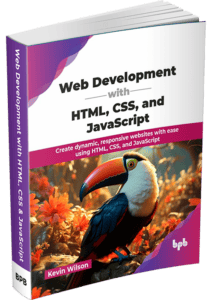
To get the most out of this course, it is recommended you get a copy of the course textbook. Click on the image link below.
Recorded in the networking lab at the University, Web Applications Workshop is a practical, beginner-friendly web development course that teaches you how to build modern webpages and interactive web applications using HTML, CSS, and JavaScript.
Throughout the course, concepts are explained and demonstrated using coding demonstrations, animations, diagrams, lecture slides, and practical examples.
You will also complete a series of practical assignments that simulate the kind of work you might encounter as a web developer. These assignments give you the opportunity to apply what you have learned by developing a complete website as the course progresses. You will work with HTML structure, forms, multimedia, semantic markup, visual design, page layout, responsive design, and JavaScript functionality. By completing the practical work, you will also begin building a portfolio of web development work that you can demonstrate to potential employers, clients, or further education providers.
The course begins by exploring how the web works, introducing the underlying technologies and concepts that power websites and online services. You will learn about the internet, web servers, browsers, domain names, client–server architecture, and the role of HTTP in web communication. Understanding these foundations provides important context for how modern web applications operate and communicate.
From there, you will learn how web pages are created using HTML, the standard markup language used to structure content on the web. You will explore common HTML elements, page layouts, hyperlinks, forms, media, and semantic markup, building a solid understanding of how websites are organized and presented.
The course then moves into CSS, where you will learn how to style and design user interfaces. Topics include selectors, typography, colors, spacing, positioning, and modern layout methodologies such as Flexbox and CSS Grid. You will learn how responsive design techniques allow web applications to adapt to different screen sizes and devices, helping create consistent user experiences across desktops, tablets, and mobile platforms.
You will also develop programming skills using JavaScript, the language responsible for interactivity and dynamic behavior in web applications. The course introduces core programming concepts including variables, functions, conditions, loops, and events, before progressing to browser-based scripting and user interaction.
Designed for beginners, aspiring developers, and anyone interested in understanding how modern web technologies work, Web Applications Workshop provides a clear, hands-on, and professionally structured introduction to the principles, tools used to build contemporary web applications.
Course Content
Introduction
-
01:24
-
Setup
05:30 -
How Web Pages are Rendered
03:47